Individual Assignment #2 – Heuristic Evaluation

The Website

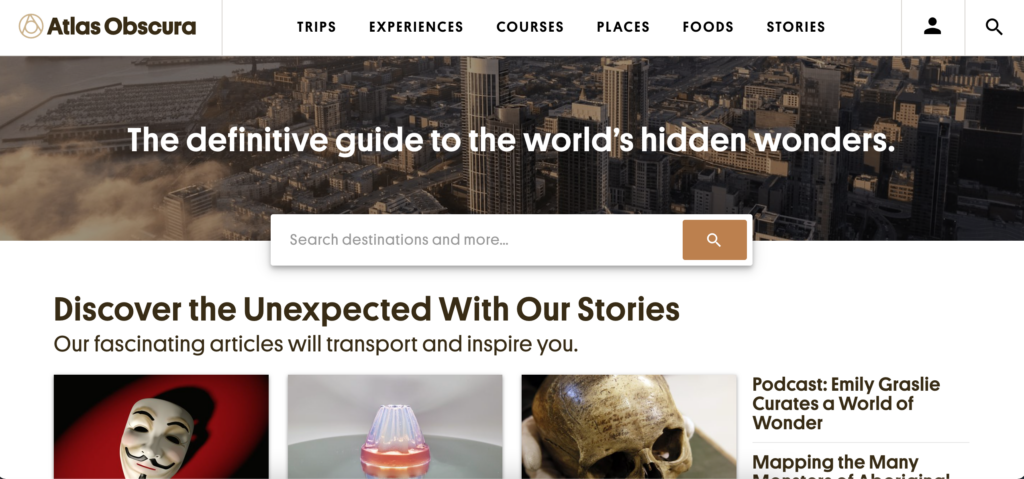
The website I selected for this assignment was atlasobscura.com. The website’s tagline is “The definitive guide to the world’s hidden wonders.” and users can search for destinations, experiences, food to try, and read stories about different places. The website features destinations that are popular as well as some out-of-the-box destinations/experiences.

Home page of atlasobscura.com

The Scenario

The scenario I chose to evaluate for this website is that I am visiting New Orleans and I want to plan out what attractions to go to. For the scenario, I do not have any food restrictions/allergies and everyone is over 21 years old. Nielsen’s 10 heuristics will be used in the evaluation of this website.

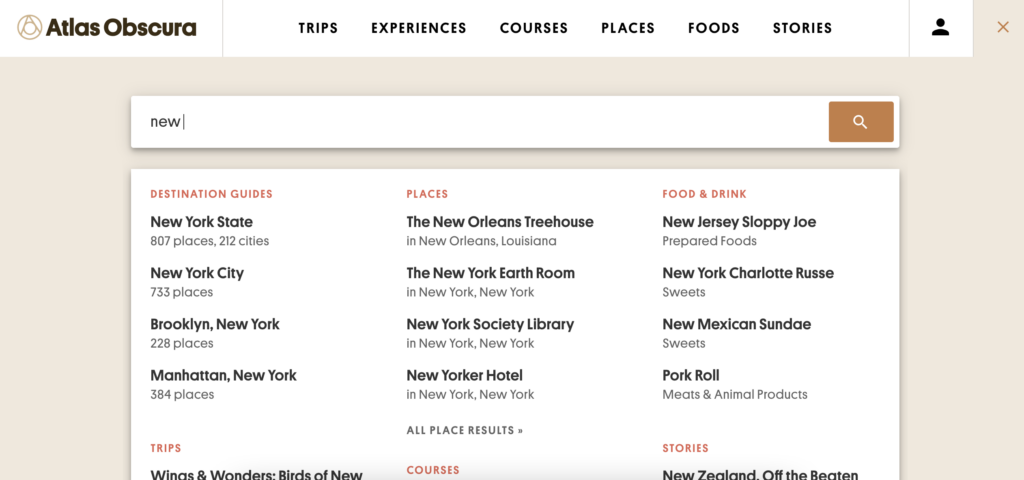
To begin the scenario I decided to search New Orleans in the search bar located on the home page. As I was typing, the search was continuously updated as I typed. For instance, when I had typed out “new” before “Orleans” it recommended destination guides for New York State, New York City, etc., it recommended places such as The New Orleans Treehouse and the New Yorker Hotel, and even a story about New Zealand.

A partial search of “new”

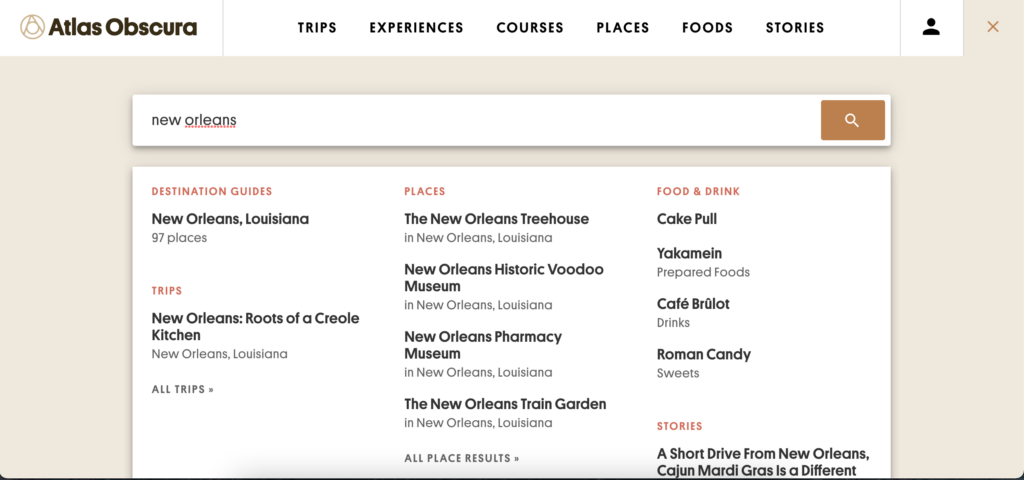
As I finished typing out “new orleans” the search results pulled together the results for information related to New Orleans. The results were broken down into different categories including “Destination Guides”, “Trips”, “Places”, “Food & Drink”, and “Stories”.

A search of “New Orleans”

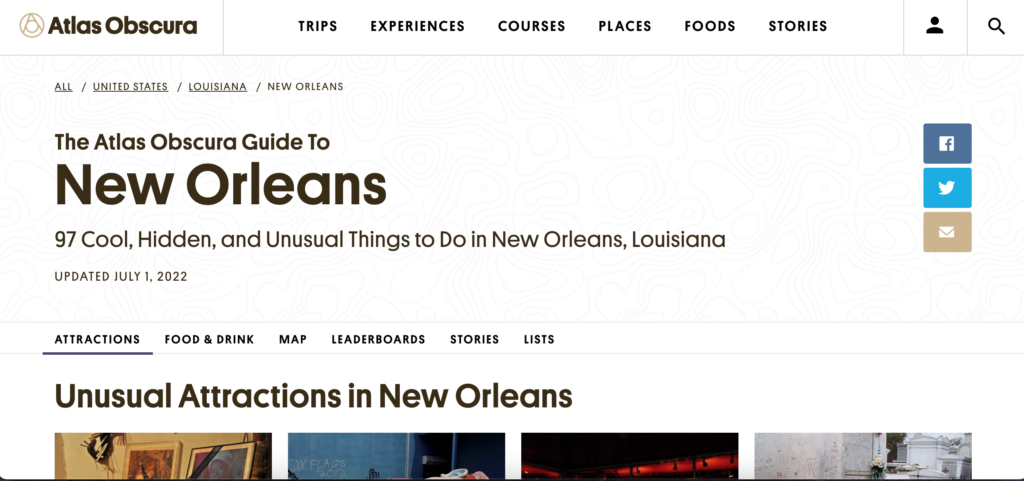
Instead of clicking any result listed in the search I just hit the enter button which led to “The Atlas Obscura Guide to New Orleans” which I believe is the same page as the “New Orleans, Louisiana” result that showed up under “Destination Guides”. This page had been recently updated in July of 2022 and featured quick links (“Attractions”, “Food & Drink”, “Map”, “Leaderboards”, “Stories”, and “Lists”) that would take you to that part of the page when clicked.

The Atlas Obscura Guide to New Orleans front page

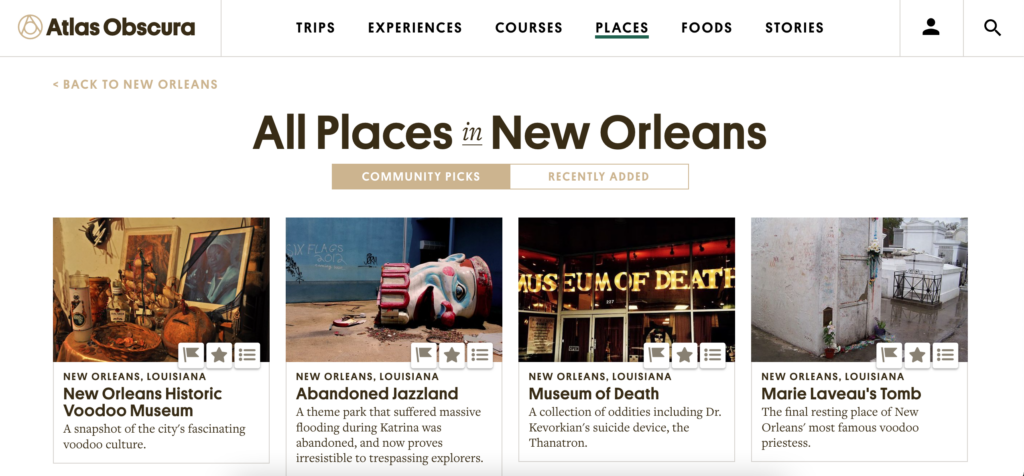
The first task was to pick out 2-3 attractions to visit while in the city. I was able to click a button under the “Unusual Attractions in New Orleans” section that led to another webpage which listed all the places in New Orleans that were added to the website. From that webpage I browsed the different options and settled on three different places to visit (Marie Laveau’s House of Voodoo, Lafitte’s Blacksmith Shop, and New Orleans Pharmacy Museum).

All places in New Orleans webpage

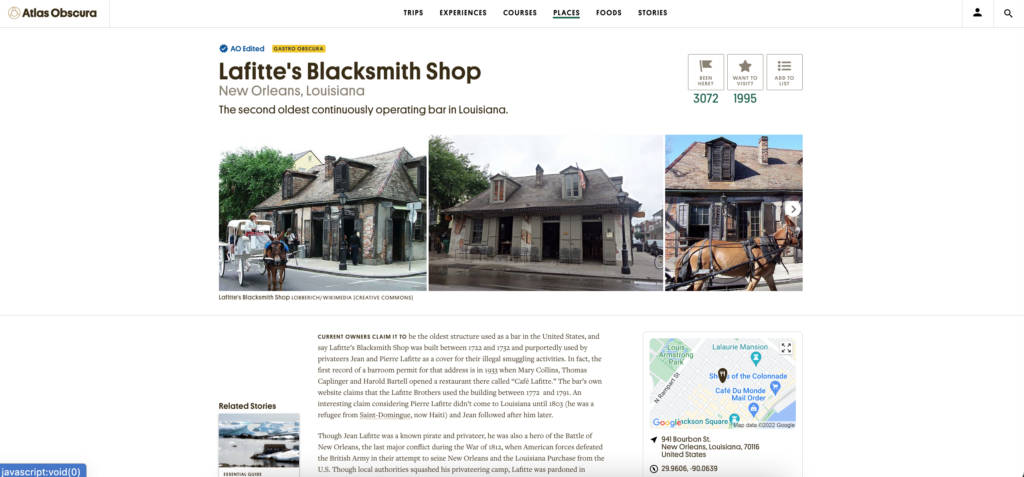
I clicked on one of the attractions I wanted to visit and it took me to a webpage dedicated to that attraction. On this webpage it gave a quick description of what the attraction was, a map of the location and the address, as well as a link to the website and nearby attractions.

Lafitte’s Blacksmith Shop webpage

Usability Flaws

While working through this scenario the overall process was relatively easy but some issues were present. When searching for “New Orleans” in the search bar it was constantly updating to try to find the best match based off each individual key stroke. This led to an overload of information that was constantly changing which is a violation of Nielsen’s 8th heuristic. Another violation occured when I clicked on “Lafitte’s Blacksmith Shop”. This led me to a new webpage dedicated to this attraction but did not provide a back button (which can be seen in the “All places in New Orleans” screenshot). This violates Nielsen’s 3rd heuristic.

Recommendations

Overall, this website was easy to use and was formatted and designed in a way that made sense as a user. I also acknowledge that I am not a novice when it comes to using computers, the internet, and searching webpages. One of the first recommendations I have is to not have the search automatically update results with every keystroke. I know that this is what is used in most search engines but I think for this specific site it makes sense to wait until the user is done typing their search term so they do not get overwhelmed with unrelated results. Another recommendation I have is to create a back link that would take you from an attractions webpage back to the webpage with all of the attractions. This could be a link just like the one seen on the “All places in New Orelans” webpage that is in the left hand corner of the screen (“BACK TO NEW ORLEANS”) but with the wording “BACK TO ALL PLACES IN NEW ORLEANS”. This would provide the user with an easier way to get back to the previous page.

Individual Assignment 2: Heuristic Evaluation

The Website

The website that I chose was True Achievements.

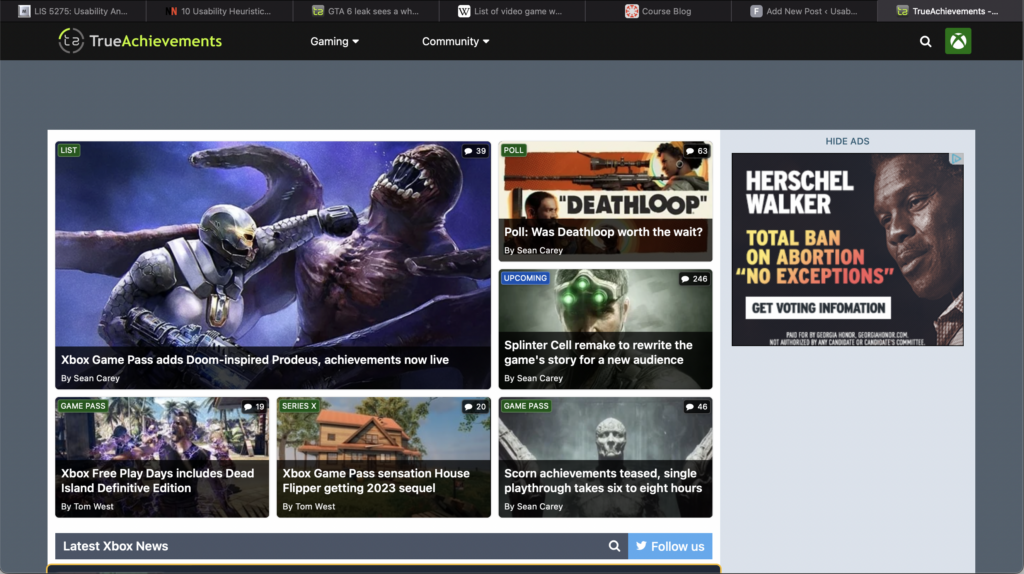
Screenshot of the True Achievements homepage

True Achievements is a website that markets itself as presenting Xbox related gaming updates and reviews. It also features a community forum where users can participate in discussions and find themselves on leaderboards.

The Scenario

Recently, over 90 videos of what was then considered “suspected” user gameplay of the newest installment of the Grand Theft Auto game series was leaked to the internet. Rockstar Games then came out and confirmed that these videos were real and reassured users that it would not affect the development timeline of the game. In this case, I wanted the user to be heading to True Achievements to see what information they could find on the leak. This task would ideally be accomplished by the user searching the website using the search bar; even though there is an article featured on the home screen.

Usability Flaws

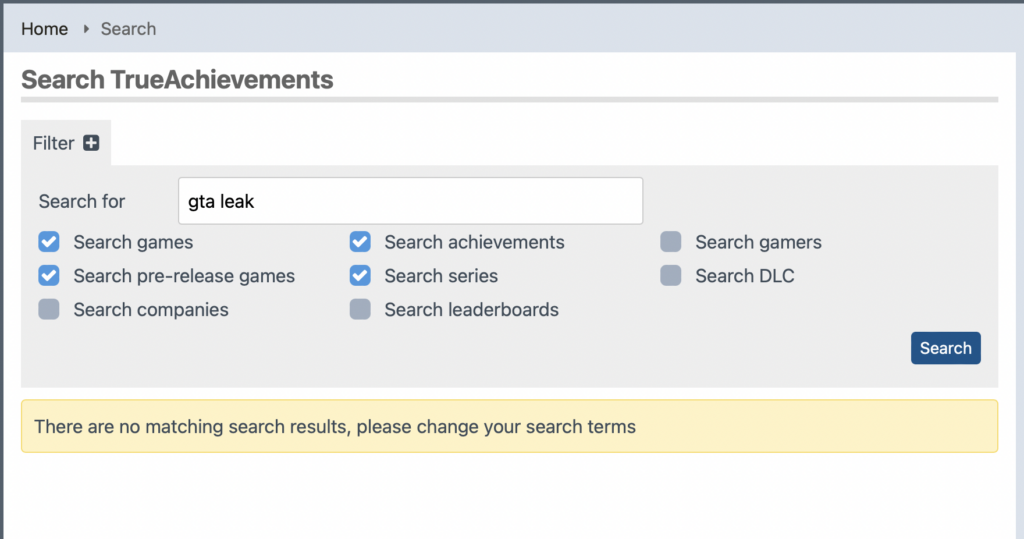
Upon searching the website for anything related to the GTA leak, I was met with the following screen.

A screen capture of a search for “GTA leak” returning the error message stating there aren’t any matching search results

I knew this information was incorrect because I had just seen an article featured on the Home Screen. Another thing I noticed while on the home screen was that each image has a small descriptor box that seemed to put the listing into a category. Naturally, I looked at the search parameters to see if I could change them to match the descriptors. I couldn’t. They were two completely different sets of information. This violated the Consistency and standards design heuristic. Since the categories do not match the descriptors the user is left wondering how to search the correct parameters and how, if at all possible, to search and retrieve a relevant article.

I ended up going back to the home screen and clicking on the article I saw that was related to the leak. I went into the article and read it. I saw that it did contain some of the information that I was looking for but I wanted to know more than a teenager from the United Kingdom was arrested for it. I went through a rabbit hole of related articles until I was well informed about the leak and then wasted to go back to the home screen to see what other featured articles are there. Because I am an avid internet user, I know that the quickest way to get back to a website’s home page is to click on their logo in the header, however this is not always the case. This has to be coded into a website and it is not common knowledge which violates the design heuristic of Visibility of System Status. My current location was not clear nor was I able to navigate back to the Home Screen but I had accomplished what I initially visited the website to do.

Design Recommendations

In conclusion, TrueAcheivements could use an entire revamp. I’d suggest they start with the overall layout o the site. From the screenshot of the homepage, you can see tat headers and other information tend to blend into other elements on the page. This will help the website better appeal to the Aesthetic and minimal design design heuristic. Revisiting the tagging that the website uses to identify their content. They also should revisit the coding of the website because in this case it is interfering with the usability of the website. When I used the provided search bar to look for information on GTA, the returned screen indicated that there was no information on the website that related to GTA. A quick scroll of the Home Screen led me to determine that that was not the case. Also when I clicked on the article that initially grabbed my attention, there were many more articles linked under the article that were also about the game. Lastly, I’d suggest adding some sort of navigational aids to the website. The current header’s navigation options do not support all the different paths you can take on the website. This also leads to the user not being able to return to a page they may have visited previously because it isn’t recognized or listed I the current menu options. A home button would be a great starting point.

MVP What does MVP stand for? The Free Dictionary

Test your Minimum Viable Product (MVP) A Minimum Viable Product is essentially a first iteration of your social network that you can put out to market and measure people’s reactions. What does mvp mean in a relationship, But, what does MVP actually mean? We first need to look at players in the “Relationship Game” and identify what makes for the perfect athlete.

mvp meaning in relationship

The Presenter is also decoupled directly from the View and talks to it through an interface. One common attribute of MVP is that there has to be a lot of two-way dispatching. For example, when someone clicks the “Save” button, the event handler delegates to the Presenter’s “OnSave” method. Once the save is completed, the Presenter will then call back the View through its interface so that the View can display that the save has completed. Now that you’ve weighed the strategic elements above and settled on the limited functionality you want for your MVP, it’s time to translate this into an action plan for development. A team effectively uses MVP as the core piece of a strategy of experimentation.

Start identifying specific problems you want to solve or improvements you want to enable for your user persona.

Playing the lottery can destroy your business, and it’s nearly impossible to play the game. We recommend that each product be kept up to date by creating an MVP. Scale the concept down to the bare minimum after you have tested it on a larger scale. Wayne Gretzky is well-known as the “Great One.” The award was given to him nine times from 1980 to 1989, during his illustrious career with the Edmonton Oilers and Los Angeles Kings. Despite his age, he is revered by hockey fans all over the world as a true icon of the National Hockey League. As a basketball player, he is also known as one of the greatest players of all time.

mvp meaning in relationship

Since the inception of the NBA All-Star Game, four different players have received the Co-MVP award. The NBA’s third and final labor dispute occurred in 1998 and was the third time in league history that a work agreement had been reached. A learning-based project management process (MVP) is used in Lean Startup to emphasize how learning can have an impact on new product development. An epic’s analysis begins with its definition of a Minimum Viable Product (MVP). A person is honored with the Most Valuable Player Award for his or her outstanding performance on the field, in the league, or in competition.

How Do You Define Your Minimum Viable Product?

In some cases, the MVP may also be a team captain or leader who has demonstrated exceptional leadership or teamwork throughout the season. MVPs are usually the face of their team and the league, and often become icons for their sport. If you are using the term MVP concerning market research, it likely refers to a minimum viable product. However, if you use this term in another context, it might stand for something different.

They created a minimalist website, published photos and other details about their property, and found several paying guests almost immediately. IMO, MVP is an improved version of MVC where you basically separate the concern of what you’re gonna show (the data) from how you’re gonna show (the view). The presenter includes kinda the business logic of your UI, implicitly imposes what data should mvp meaning in relationship be presented and gives you a list of dumb view models. Its main benefit is you can test your UI business logic against many/various views like showing items in a horizontal list or vertical list. Proper use of an MVP means that a team may dramatically change a product that they deliver to their customers or abandon the product together based on feedback they receive from their customers.

Does Mvp Mean Best Player?

He is also an online editor and writer based out of Los Angeles, CA. He studied at Georgetown University, worked at Google and became infatuated with English Grammar and for years has been diving into the language, demystifying the do’s and don’ts for all who share the same passion! Your relationship with your Most Valuable Person (MVP) is unquestionably unique. Thus, when your partner calls you an MVP, it means that you are the only person he/she would want to face life with. In modern software development, cybersecurity cannot be an afterthought. The software development landscape is constantly evolving, driven by the need for efficient, secure, and…

  • With its templates, Notion comes as close to highly aesthetic and multi-purposed journals as it is possible without a cutesy notebook and a set of color pens.
  • Shortly after, the market will boom because similar products are coming up.
  • They make you feel loved, supported, and appreciated.They’re your best friend, your confidante, and your biggest cheerleader.
  • A focus on releasing an MVP means that developers potentially avoid lengthy and (possibly) unnecessary work.
  • Nowadays, User Action also known as the Referral programs is a perfect distribution channel for many SaaS products.

MVP is an abbreviation for “most valuable person.” This title is frequently bestowed upon the kind and supportive partner in a relationship. When times are difficult and you need someone to lean on, you can depend on your MVP. This someone could be your partner, best friend, or even therapist. An example of an MVP is ad campaigns to products that do not exist yet. The campaigns simply directs potential customers to landing pages with info about the product. Metrics track interest of potential customers in the product and which features are receiving the most attention.

Testing

Definition of MVPThe Lean Startup methodology has its roots in lean manufacturing and lean software development and focuses on the same concepts of reducing waste and efficiency. To be perfectly frank, I think the underlying concerns of MVC hold true for any MVP implementation and the differences are almost entirely semantic. If you are achieving the benefits then who really cares whether your pattern is MVC, MVP or Supervising Controller? The only real pattern remains as MVC, the rest are just differing flavours of it. The location-based social network Foursquare started as just a one-feature MVP, offering only check-ins and gamification rewards. The Foursquare development team began adding recommendations, city guides, and other features until they had validated the idea with an eager and growing user base.

mvp meaning in relationship

Customers can understand the value of a product or service in a more tangible way without the need for a full-featured product or service. Landing pages are a great way to test customer interest and engagement levels. They enable businesses to capture leads and gather data in order to make product recommendations. A Most Valuable Player (MVP) is the individual or group of players who make the most contributions to a team’s success during a given season or championship.

Meaning of MVP in English

For example, will it attract new users in a market adjacent to the market for your existing products? If that is one of your current business objectives, then this MVP plan might be strategically viable. Whether it’s relationships, education, or sports, the most valuable person is referred to as an MVP. When someone refers to you as a MVP, they are saying that they consider you to be the most important or useful person in their situation.

mvp meaning in relationship

You have your customer object which your UI widgets is data bound to, but you also have additional UI-spesific fields like “IsButtonEnabled”, or “IsReadOnly”, etc. In that case your View might have a property called Customer, which then again is databound to the UI widgets. You don’t have to think about synchronizing and micro-manage the view, and the Supervising Controller can step in and help when needed, for instance with compled interaction logic. Your Presenter class will talk to the model and “map” it to the view. The benefit is that the view is easy to test, and it is easier to move between UI platforms (Web, Windows/XAML, etc.).

Potential Costs

In the context of sports, MVP has stood for “Most Valuable Player” since at least the 1930s. It’s an annual accolade given to a single player in a sports league at the end of a season, as voted by other players, sports writers, and sometimes fans. MVP stands for “Most Valuable Player.” The term is most commonly used in professional sports, but can be applied to any competitive situation where there is a clear winner. An MVP is typically someone who has made the biggest contribution to their team’s success.In games, this could mean anything from scoring the most points to having the best win-loss record. It’s as difficult as actually becoming the Most Valuable Player of any team.
INDIVIDUAL ASSIGNMENT #2: Heuristic Evaluation

INDIVIDUAL ASSIGNMENT #2: Heuristic Evaluation (Fredrick Douglass National Historic Site) By Sonya Jackson

The Website

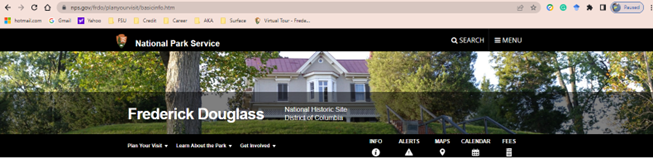
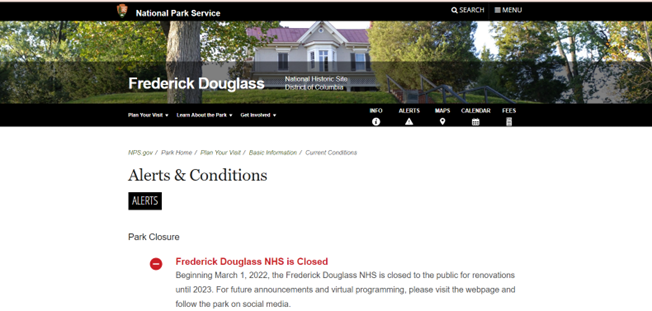
Cedar Hill is a National Historic Site where Fredrick Douglass lived from 1877 until his death in 1895. The home is on eight acres on top of a 50-foot hill. Cedar Hill has been restored to its 1895 appearance, furnished with original objects that belonged to Frederick Douglass and other members of the home. As of March 1, 2022, the Fredrick Douglass National Historic Site is closed for renovations until 2023.

The Scenario

I initially wanted to visit the museum, but it’s closed for renovation. However, there are 2 options to visit the museum virtually:

  1. The National Park Service developed a virtual exhibit. It’s a room-by-room tour of the historic home with portraits of Frederick Douglass and objects from his collection.
  2. Google Cultural Institute has partnered with the National Park Service and allows a 360-degree interior view of the home.

I wanted to have a 360-degree view of the home. So, I decided to view Cedar Hill via the Google Cultural Institute.

The Analysis

Usability heuristic #1 Visibility of system status- The system should always keep users informed about what is going on. When you initially hit the site the “Alerts & Conditions” tab shows there is a notification available in red. Naturally, I selected the tab. Under “Alerts & Conditions” the website informs visitors the house is closed for renovation and will not be open until 2023. A novice user may not select the “Alert & Conditions” tab. The notification should be posted under every tab since there is no “home page” as a starting point.

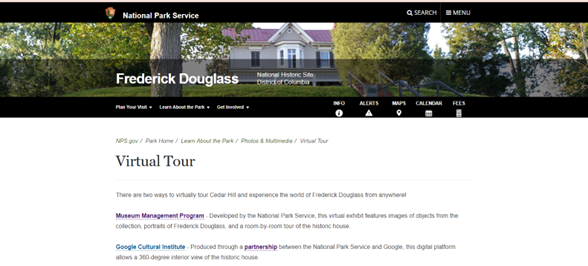
Usability heuristic #7 Flexibility and efficiency of use- Shortcuts are hidden from novice users- and speed up the interaction for expert users. The design is flexible and can be carried out in different ways so that people can pick what method works for them. Once you select the “Virtual Tour” tile it takes you to this page:

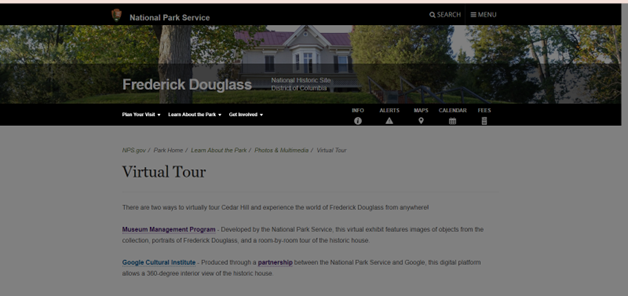
Now, once I select the “Google Cultural Institute” hyperlink the site turns grey, and nothing happens:

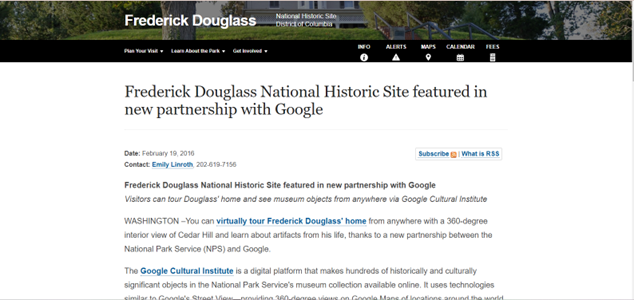
I waited 2 minutes because maybe there was a delay. Nothing happened so I selected the “Partnership” hyperlink and that also resulted in the following:

I was anxious to begin my 360-degree tour, but each hyperlink on the above page was not working. Each hyperlink resulted in a grey non-working page. A website should have working links on its page.

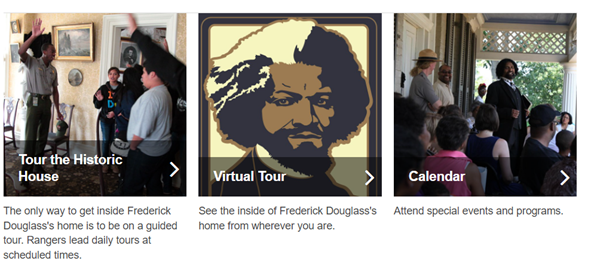
Usability heuristic #8 Aesthetic and minimalist design- Content should be visual and support the user’s primary goal. There are two sections on the website to initiate the virtual tour.  The “Info” tab and “guided tour” is a hyperlink that takes you to the virtual tour option. Because the museum is closed but a virtual tour is an option, the virtual tour link should be available under each tab.

Recommendations

The Fredrick Douglass National Historic Site contains a lot of information. The site is thorough however, the information on the site could be better organized, and navigation not so cumbersome. A novice user or a child would have some difficulty navigating the site. There is no “home page” for a point of reference. A “home page” is a great place to start over when you have become misdirected while seeking information. Since the museum is closed, the virtual tour option should be widely publicized. The virtual tour link is always placed at the bottom of the page, it should be moved to the top. Once you select the virtual tour option it plainly shows the two options to visit virtually however only one of the links is working. Broken hyperlinks are frustrating even for an advanced user. I have visited this site many times before and both links worked. The Google Cultural Institute site option is exceptionally aggravating because there are so many hyperlinks to select and all of them are broken. Overall, this site needs to be updated aesthetically and allow for maximum flexibility and efficiency of use.

Pretty Ways to Check with Someone to Be Your Girlfriend

When you have been dating a lady for a scottish women while and know that you intend to take what you should the next level, requesting her to be your girlfriend can seem like a difficult task. You’ll probably https://www.farmersonly.com/blog feel a lot of pressure to ask her in the ideal way mainly because, after all, you don’t desire to risk it not on track and losing her forever.

http://zhill.org/wp-content/uploads/2013/09/takeittothelord3.jpg

Luckily, there are lots of sweet ways to inquire someone to become your lover that will help you mop her off her feet and make the instant truly memorable. Keep reading to find out about some of the best and a lot creative strategies to pop the question!

A great way to ask a lady to be your sweetheart is to system ,which is a special day for the 2 main of you. Select a spot which means something to you personally both, like the place where you first satisfied or her most loved restaurant, and create a affectionate backdrop with regards to the occasion. Then, prepare a date that’s sure to make her laugh and let her know exactly how much you love her.

In case you aren’t comfortable speaking your feelings aloud, writing down your pitch can be a great way to express yourself. Write a notice or a poem which includes all of the factors you love her, and then finish this with a straightforward question: “Will you always be my sweetheart? ”

Another option is to get something expressive to give with her to show how much you care. A personalized gift is excellent, and you can also find ones with her initials or other symbols built in! For a seriously thoughtful touch, sing her a song regarding simply how much you love her. Even if you aren’t the best musician, she will prefer the thought that went into creating a music just for her.

A more modern way is to use technology to your advantage. In the event that she works on the calendar app, you can build an event with the question in the name so that it looks on her display when the woman opens that. This is a fantastic way to use technology in a creative way and can surely win over her!

You can also make an effort to be more traditional and ask her on her birthday. This is certainly a great way showing how much you care about her and will absolutely make the day special for her. Only be aware that you do not ask her in front of many folks, as this could make her feel uncomfortable.

In case you have some tech savvy close friends, they may be able to help you create a website that will allow you to ask her to be your girlfriend. This really is a fun and unique way to do it, and she will always be impressed by the ingenuity and effort that went into this!

Individual Assignment #2: Heuristic Evaluation

Website Being Evaluated

The website I will be evaluating is 30minutecrafts.com, a collection of quick craft tutorials and ideas for craft enthusiasts whom may be short on time or energy. It was founded by Carolina Moore as a resource for fast crafting. She is still actively posting to the site, as the last tutorial was made in 2022.

Scenario

The scenario I chose to guide my evaluation is a young hip female crafter with moderate technology experience (avid social media user and grew up using the internet, but does not have formal schooling or training with computers) has decided to save money and make her friends and family’s Christmas gifts this year. She has limited time between working and taking courses at her local community college (where she studies art history) and through a quick google search stumbled upon 30 Minute Crafts. She wants to find 1 or 2 crafts she can make that will be gender neutral, doesn’t involve sewing, and will take no more than 15 minutes each. 

Analysis

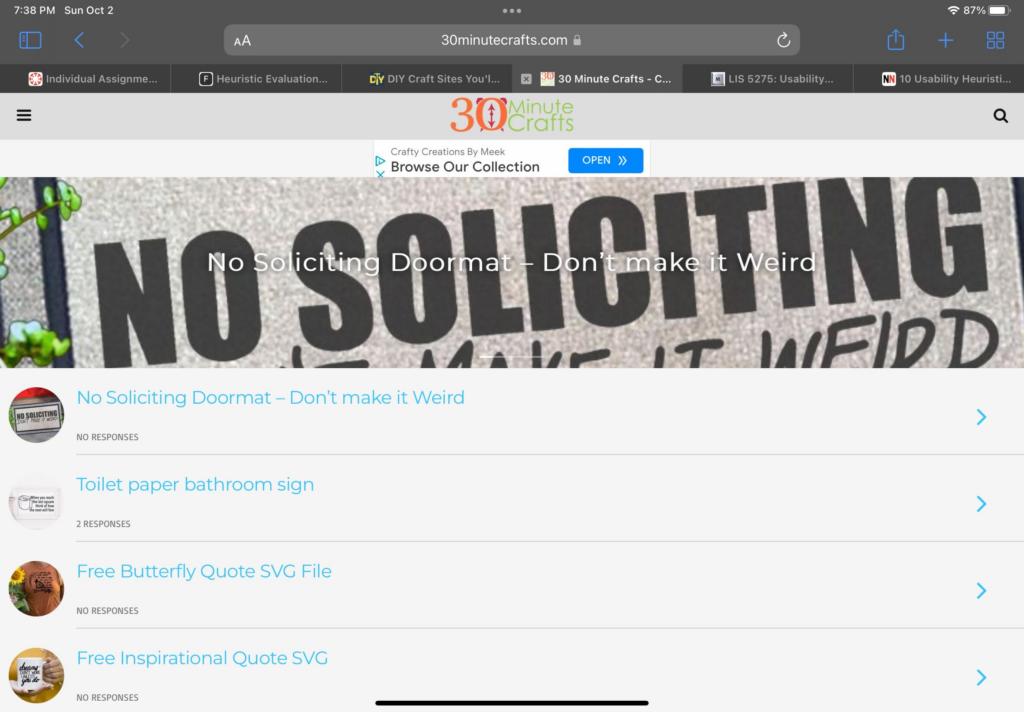
Immediately from the homepage there are issues in regards to Heuristic #1: Visibility of system status. It is extremely hard to tell where the user is (homepage) and where to go next. Poorly designed homepage, that does not follow the standards expected by users – violating Heuristic #4: Consistency and standards. By default it is throwing the user in a mobile layout with no working way to switch to desktop view. This causes the branding and message of the website to be lost. There is a tiny logo on top, cluttered hard to read banner, messy unorganized lists of posts with no clear categories or labeling, and navigation is hidden under a tiny hamburger menu on the side. 

The user scrolls down the homepage, clicks Desktop, and realizes it will not work. Getting overwhelmed by the list of crafts and lack of clear insight on materials, categories, or time, the user clicks the Hamburger menu. From there she sees a “Home” button. It leads to the URL https://30minutecrafts.com/whats-new. This page kicks the user out of a mobile view and into a slightly prettier desktop template. The copy and writing style of this tutorial matches the vibe of the user. This aligns well with Heuristic #2: Match between system and the real world. 

At this page the user sees a much better navigation (as opposed to the page linked from google – the one that the user thought was the homepage https://30minutecrafts.com/). She selects “15 minute crafts” and is immediately thrown back into a mobile template, with no thumbnails and no clear insight into what the craft tutorials are. She gives up and decides she wants to try a different category, but now the clear navigation is gone and she can not easily return to where she was (breaking Heuristic rule #3: User control and freedom). After clicking the back button, she clicks “10 minute crafts” where she quickly glances over the thumbnails and decides to go with the “Felt Tic Tac Toe Board” tutorial for her gifts, even though she is not sure all of her friends will like it, without realizing there is a small “Next Page” button on the bottom where many more tutorials are.

Other Heuristic violations noticed through user task: Heuristic #7: Flexibility and efficiency of use. While there is a search bar, it is very small and hard to see. I originally did not see it until I specifically went searching for it. It would have been easier and more intuitive for the novice user if this was more visible. A first time user may be more likely to notice it and use it to go straight to the tutorials they are looking for. For example my user could have searched “No Sew” and seen all relevant tutorials. One thing to note in addition to it not being noticeable is that it is not very advanced either. If user were to search “15 minute No Sew” many tutorials will pop up that are 30 minutes and require sewing. 

As far as Heuristic #8 goes, this website could adopt a more aesthetic and minimalist design in places. The column on the right that follows user through most pages can be distracting and that information could be better served elsewhere. 

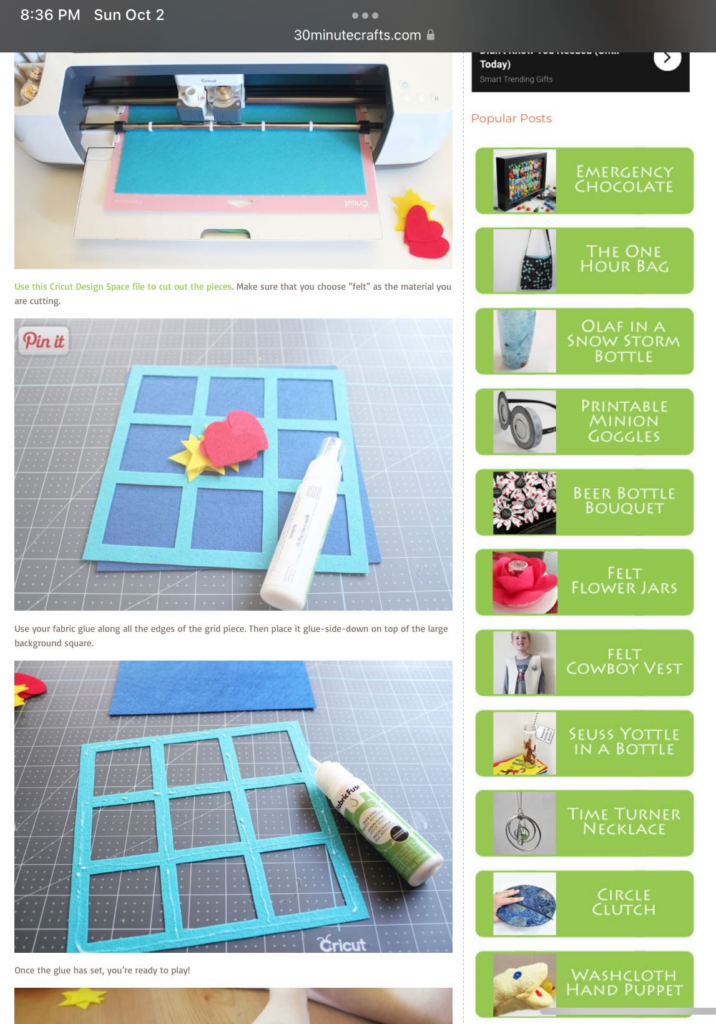
One thing I think this website does well is Heuristic #10: Help and documentation. The steps are clearly presented with great visuals making the tutorials easy to follow.

Recommendations

  • Redesign the homepage to fit commonly used standards expected by users. Clear branding, header banners, navigation, clear CTAs, contact information, and footer.
  • Better organize navigations – reevaluate the navigation given on the “mobile” homepage compared to the navigation on the desktop page (pages are missing and hard to find unless on the confusing “mobile” homepage and vice versa). 
  • Redesign how the tutorials are presented on the category paged. Make sure every tutorial is given a thumbnail and description that will let the user know what the tutorial is about without having to click through individually to choose a craft. Remove need for the “Next page” button that is extremely hard to see.
  • Create a design and flow that is more conducive to the main user task of finding a craft tutorial to try by fixing the heuristic violations mentioned in the analysis. The tutorials are great once the user actually gets to one, but finding the full catalog of tutorials is nearly impossible with how the website currently is.

Individual Assignment 2 – Heuristic Analysis

Gaming group

The Site:

Gamesradar+ (https://gamesradar.com)

   Gamesradar+ is a gaming site that covers games from all platforms, from PC to all the various video game consoles on the market. The plus is the additional coverage of topics many gamers also enjoy, such as movies and the world of comic books.

The Scenario:

   The review of this site is done through the eyes of the fellow gamer that needs to find a gift for a friend’s child. As video gaming has been around for decades, this group covers a large range of potential ages. In this evaluation, we will be looking at finding a gift for a pre-teen boy that his parents will not object to. In this case, that means nothing with foul language, shooting games, or other conduct they may consider inappropriate for his age. This task will be considered a success if it results in a game recommendation, and if it points to a good deal on the game, that would be a bonus.

The Analysis:

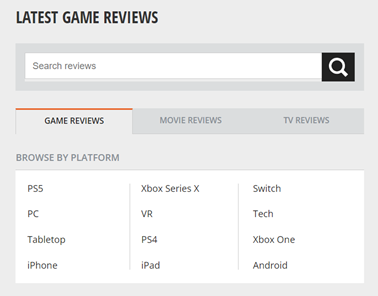
   In the search for information about games, I selected the Reviews tab:

Since I am looking for a game, the Latest Game Reviews tab makes sense. At this point, the site navigation makes sense. What did not make sense was the word Tech under the BROWSE BY PLATFORM section. Curiosity drives you to look at that one, which takes you off to reviews of televisions, personal tech, and streaming hardware. This fails as a Match Between System and Real World.

   In navigating the site, I notice that the Reviews tab does not stay colored in black, which would keep the Visibility of the System Status if implemented. Since the friend’s kid only has a Nintendo Switch, an Android tablet, and an Android phone, I select Android looking for game reviews and again get let down as that section takes me to a page full of phones and Android game controllers. There isn’t a review of an Android game until you get to the second page. As I look further, I realize that the newest review on an actual Android game is from March 1st, 2019.  This once again fails at the Match Between System and Real World and the idea of Consistency and Standards. A game review section should only have reviews of games, and reviews of physical devices should be kept separately, and a website about gaming should be kept current. The idea of not having a review of games during the entire pandemic (when people were stuck at home with little else to do) is just unheard of.

   In a pleasant surprise, returning to the Reviews section and going to the Switch section showed reviews as recently as 12 days ago. There were plenty of options to choose from for games, but it also had hardware reviews for platforms not related to the Switch such as the Steam Deck. Once again, another Consistency letdown.

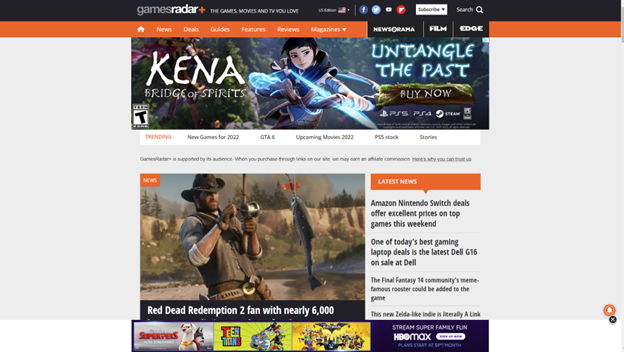
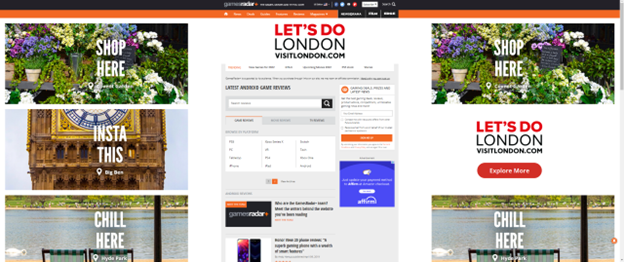
   A user can understand the need for a website to be supported by advertising dollars, but this site crosses into the ‘annoying’ category with the excessive screen real estate devoted to unrelated ads. The following screenshot is what happens when you full screen the site on a widescreen monitor:

In this violation of Aesthetic and Minimalist design, the idea of a gaming site is lost in a flurry of advertisements about London. Less than a third of the page is the actual site content.

The Recommendations:

The adjustments to the site would be straightforward:

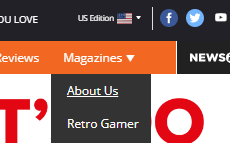
  • Adjust the header at the top of the site to keep the current location highlighted to keep the user informed of their location in the site (Visibility of System Status). The header is a good method to show this, but it needs to be fixed. The header also had some other flaws, such as the “About Us” section being hidden under the “Magazines” section:

  • Game reviews should be nothing but game reviews. Either put reviews of hardware in their own section or combine the hardware and games into sections by platform and label them as such. This would give the user the Consistency and Standards as well as a Match Between System and Real World.
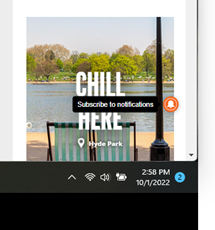
  • There is this one little icon that floats on the page, and when you hover over it, it reveals itself to be a “Subscribe to Notifications” option. This needs to be moved into the header with a label. While it could be a highlight for Flexibility and Efficiency of Use, as a shortcut that more experienced users would rely on, I fell that not knowing what it was shows a fault in Visibility of System Status.  
  • Advertising must be limited to less than a third of the site, and ideally should be something remotely linked to gaming. The current layout is pulling from the focus of the site, which is to promote and discuss gaming. Limiting the percentages of screen real estate to advertising will allow users to stay focused on the task at hand.

Individual Assignment 2: Heuristic Evaluation

The Website

I chose to do a heuristic evaluation on one of our travel sites, Hotels.com. As an avid traveler, finding a place to stay in is a hard part of a vacation with many different new sites coming up such as Airbnb, Trivago, Expedia, etc. The website specializes in booking hotels, rental cars, and vacation rentals.

Method

In evaluating this website, I took the approach of navigating through the site first and looking at how it works as I have used it before but it is not a regular site I use to book trips. I used the 10 principles of Jakob Nielson’s approach for usability analysis and checked off each one to see which ones had flaws. I went step by step as if I were booking a trip to view the different outcomes of the prices and how the page gets set up when you input a new travel date. I decided to choose the travel destination as New York City and the dates will be during Thanksgiving week, November 22-27.

Usability Flaws

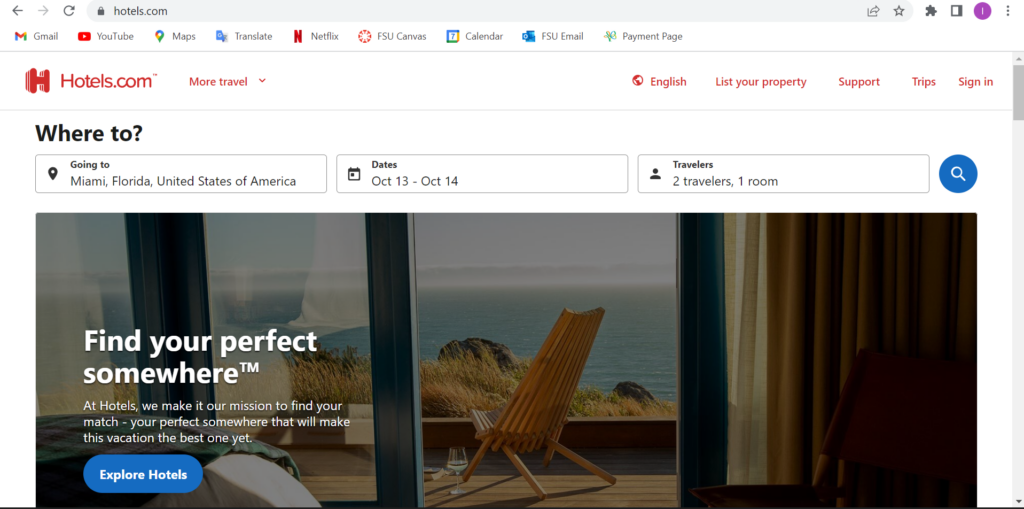
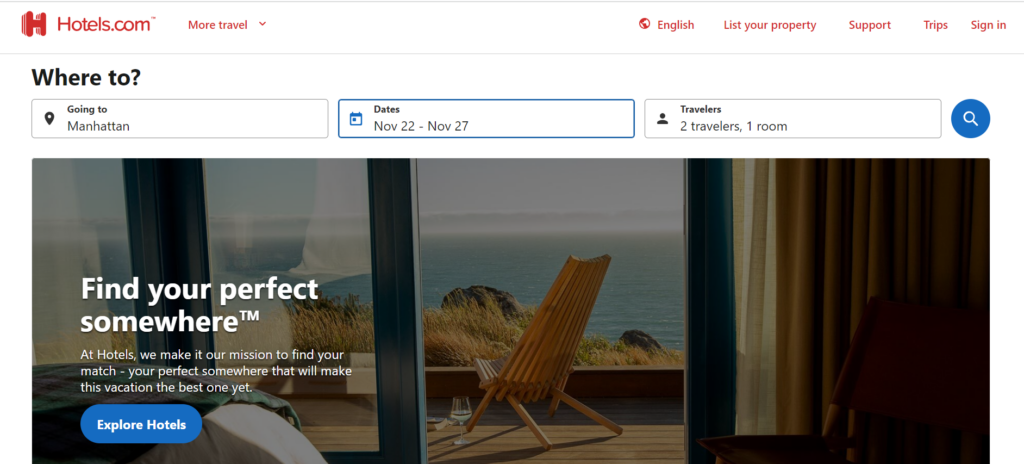
So on the homepage of Hotels.com, it seems very easy to navigate and has a lot of information on the main page. At the top of the screen, you can effortlessly search different locations and dates. Once you scroll down it has some information on different ways to travel and stays. So on the homepage, I input the travel stays I will be looking into which is New York City from November 22 – 27.

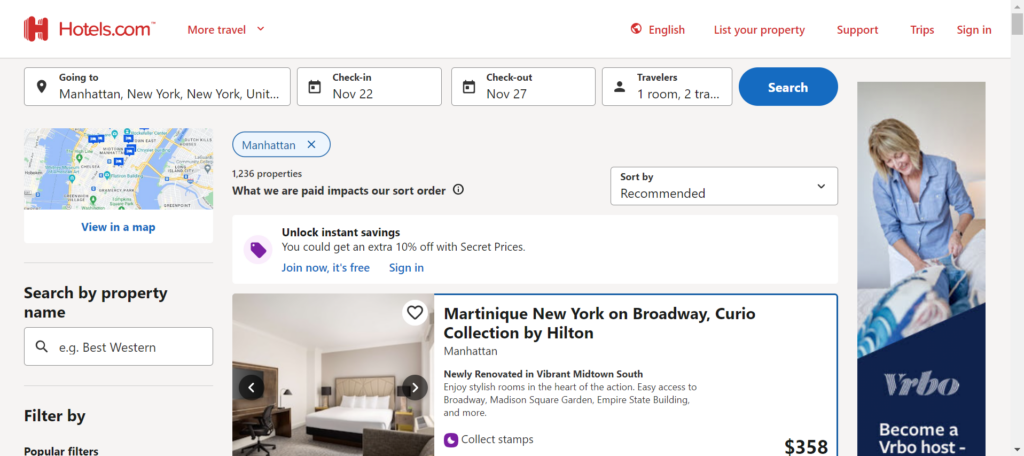
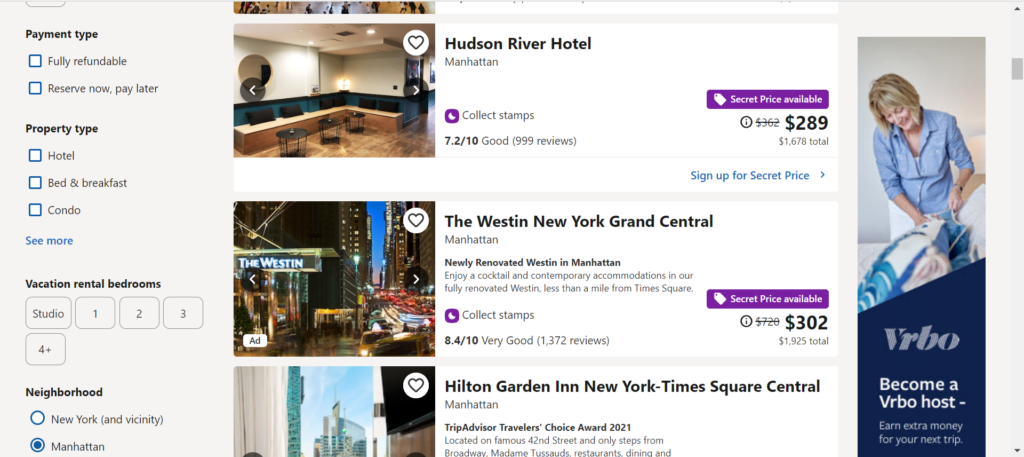
So once I searched up the travel plan, it showed me a list of different hotels with the price showing next to the hotel and a small description of the hotel. You can choose different filters and assortment to your liking. In the image below, I scrolled down a bit and you see some good deals labeled as “Secret Price available”.

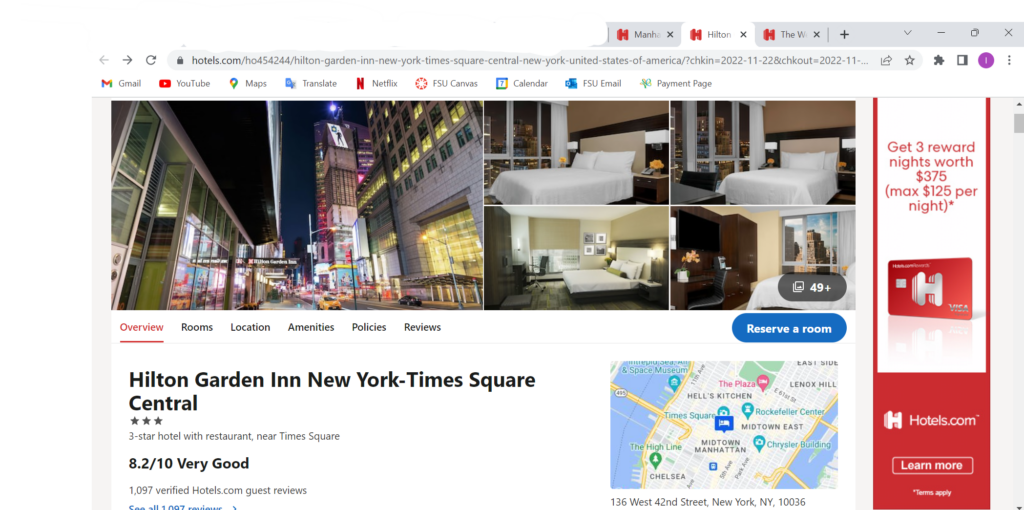
I clicked on the Westin New York Grand Central hotel to see how it worked since it was such a big price jump. When clicked on, it sent me to a different tab which violates the 6th heuristic of recognition rather than recall. This means that a user should not have to remember dates and there should also be a back button to correct any mistake if made. If the user was one that does not understand different tabs then this would be a big problem for them. I can see how if you end up on a new tab, you are going to start a whole new search and it is just repeating all the steps. I went on my phone as well to see if it opened a new tab or not and it did. This means that the user will have to keep switching between tabs to view each and every hotel.

Another violation was number 7, Flexibility and efficiency of use. An expert at tabs and the internet know they can switch between tabs and if need be they can close the tab. However, a newer user may not know that information and since each time you click on a hotel it opens up a new tab. A user may not know that they can either close the tab or navigate to the original tab. They might start the same search again which lose the efficiency of the website. Rather than it being a quick and easy task, it might take a while to view each hotel and its amenities.

Design Recommendations

I recommend that this website has more flexibility for more novice users but also for anybody that travels which is a majority of the population. Hotels.com does have great options and outcomes, but the design of opening a new tab every time you press on a new hotel can get exhaustive and causes a slower performance. There should be a way that a person can review the hotel they want and see it with the option of going back but also having that hotel in a recently viewed box if you want to keep browsing different hotels. This recommendation will solve both heuristic flaws, 6 and 7, which have to do with remembering what was searched and which hotels were viewed, as well as, navigating through the different tabs that allow you to know what information you viewed beforehand.

Individual Assignment 2: HappyCow.net

(917 words)

The Website 

The website I chose for this assignment is HappyCow.com, which is a search tool to help find vegan restaurants based on location. This can be used by tourists in a city they are unfamiliar with.  

Evaluation 

The scenario I am in when navigating this website is that I have a vegan diet and am visiting Queens, New York. I am trying to find a restaurant that offers vegan food but still has other options because I am traveling with my boyfriend who is a carnivore. He respects my dietary needs but since we both have not been to New York it is worth trying to find food we can both enjoy.  

On the homepage of HappyCow there is a large search bar where you can find a location by city, address, or zip code. There is little text or ‘noise’ around the search bar which keeps the layout simple and points me to the direction I wanted to go in. By meeting my expectations as to how I would start my search in looking for places to eat, this fulfills the Consistency and Standards heuristic.  

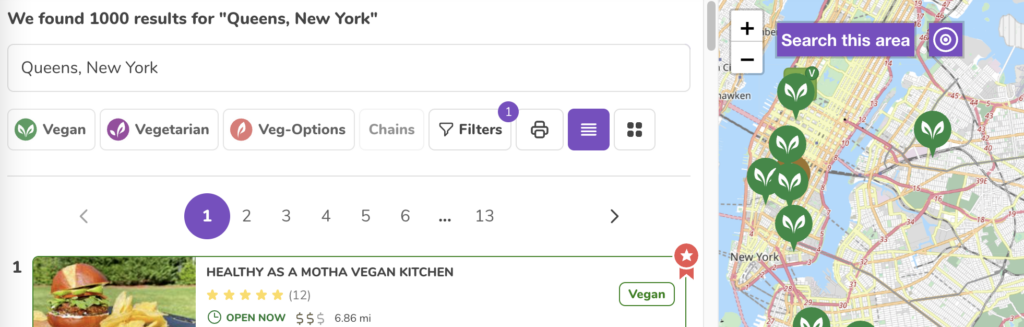
Once I type in the address that we are staying at and hit enter I am brought to the search results. On the right pane is a map with pins on all the food locations and on the left is the list of them. Above the list are the filters so you can sort through the restaurants in a specific way.  

One thing I appreciate about the filters is that you can click through them and mess around without updating the results. The only way the results will be updated is if you select the ‘apply’ button at the top of this section. You also have the option to select ‘cancel’ which would not apply any changes to the current results or select ‘rest’ which out clear the filters already applied.  

This feature allows the user to back out of the changes they were going to make. Utilizing the User Control and Freedom Heuristic, this provides an emergency exit and does not commit to any changes they were attempting to make.  

Usability Flaws 

The first usability flaw that I came across was going down the filter options. At the top selection to filter by was vegan or vegetarian food establishments, or places with vegan options. In the next section below, you can then filter by the type of food establishment, such as coffee shops, bakeries, and food trucks. As you go down the list the options became more nuanced including health stores, market vendors, organizations, and professionals. Then In the next category below were types of food which included breakfast, buffet, fast food, and bakery (again). I was confused why these sections were separated and why these chose to filter by these categories.  

This failed the Consistency and Standards of Use heuristic by confusing the user with too many irrelevant options. There is no way to distinguish the use of filtering bakery from the first set of categories from the second use of bakery in the subsequent category. This leaves users wondering what these filters could mean by selecting them.  

The second usability failure I was tied up on was assessing the food establishments in my results. After adding filters and sorting through the results you can select a restaurant and see more information about it. HappyCow provides reviews, ratings, and photos all provided by other users. On the right pane of the page is contact information, operating hours, and hyperlinks to the restaurant’s website and social media. This is useful information, but the major factor in how I was going to choose a restaurant would be what was on the menu. So now when I click on a restaurant for more information I must click on another link, be brought to a new website and sort through the menu then return to the HappyCow’s page on that restaurant and then return to the search results to move on to the next option.  

This multi-step process violates the recognition rather than recall heuristic by forcing the user to stretch out to the restaurant’s actual website to recall the food menu. If the user was then deciding between two restaurants, they would have to jump back and forth between websites to weigh their options.  

Design Recommendations 

My recommendation for remediating the Consistency and standards of user heuristic is for the creators to do extensive user testing on what people want to filter through and know about a restaurant. These current category options aren’t clear and don’t feel relevant for the everyday person. By knowing what is most important for users to find, the design can then list those categories by most popular. For more experienced vegans, they should have a shortcut to the more nuanced categories so the site can meet both needs for novice and knowledgeable users.  

For the violation of recognition rather than recall, I recommend adding a pane on the side of the reviews that shows the menu. Users can scroll through this on the HappyCow page of the restaurants as they also browse through reviews. This way the user won’t have to jump to different sites and recall the menu information. 

HappyCow should also have a feature where users can save different restaurants and review them side by side so they can compare their options. This would also free the user so they can evaluate the different food establishments without having to remember the menu of each one.  

The Norman Rockwell Museum | Shut Up and Take My Money

(1467 Words)

The Website

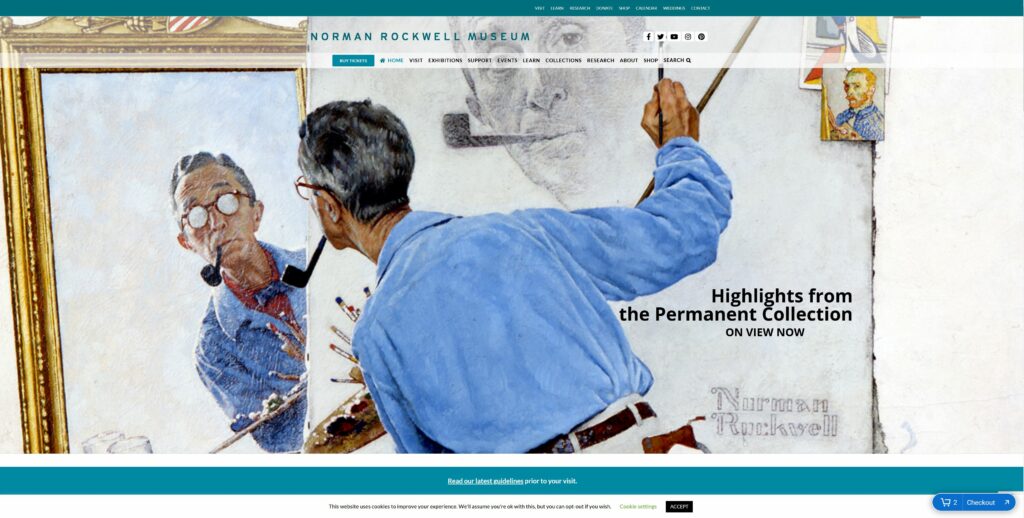
The Norman Rockwell Museum teaches and maintains the legacy of Norman Rockwell. Its website, nrm.org, is used by the museum for outreach, education and advertising. The site is heavily saturated with information regarding Rockwell art collections, related events, ways to visit the museum, and how to financially support the museum.

This is the top portion of nrm.org’s homepage.

The Scenario

To best evaluate the usability heuristics of nrm.org, one should examine the site through the lens of a potential patron. Hypothetically, this patron has enjoyed the work of Rockwell and has finally decided to reciprocate. This patron has found nrm.org and discovered many avenues in which to financially support the museum and maintain Rockwell’s legacy. However, the patron has come across several violations of usability heuristics while exploring the best and most satisfying way to support the Norman Rockwell Museum (NRM). Several avenues of financial support were tested and conclusions were drawn regarding the most ideal way of patronizing the NRM.

First, there’s the standard philanthropic route of providing a simple donation. Second, the patron can simply purchase a tour and act as a standard consumer of the NRM services. This way, they are contributing to the profits of the NRM. Not only does this help to maintain the legacy, but presumably expand the NRM’s outreach capabilities.

By exploring these pathways of patronization, one can detect and analyze nrm.org’s violations of the usability heuristics as described by Jakob Nielsen in 10 Usability Heuristics for User Interface Design.

Analysis of Usability Flaws

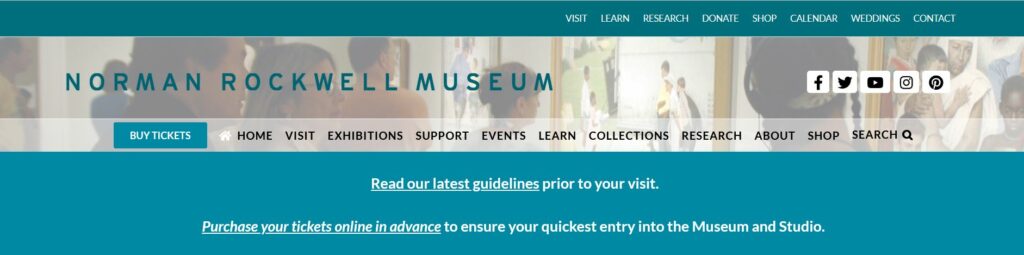
Nrm.org excels at being a source of information. However, in violation of heuristic #8, it overwhelms its homepage and secondary webpages with said information. It’s trying to balance executing its prime directive of being an abundant source of scholarly information with being a marketing tool. As a patron, this made it time-consuming to make a donation because the donation functions were not obvious. The most obvious way to support the NRM via standard donation is to click the “support” tab in the header’s menu on the homepage. However, this violates heuristic #2, as the term “support” is not necessarily synonyms with “donate”. To elaborate, “support” commonly implies technical assistance, and is not an intuitive way to imply patronization. This experienced difficulty is compounded by the fact that there are two main menus on the homepage. The one on top does in fact say “donate”. Nrm.org has chosen to display two main menus, both containing similar options while also using different names for those options. This further violates heuristic #8 but also violates heuristic #4. While both menu tabs will take the patron to the same place, it is inconsistent and may further encourage the user to see “support” as meaning technical assistance.

There is a menu in the top-right and the center of the homepage.

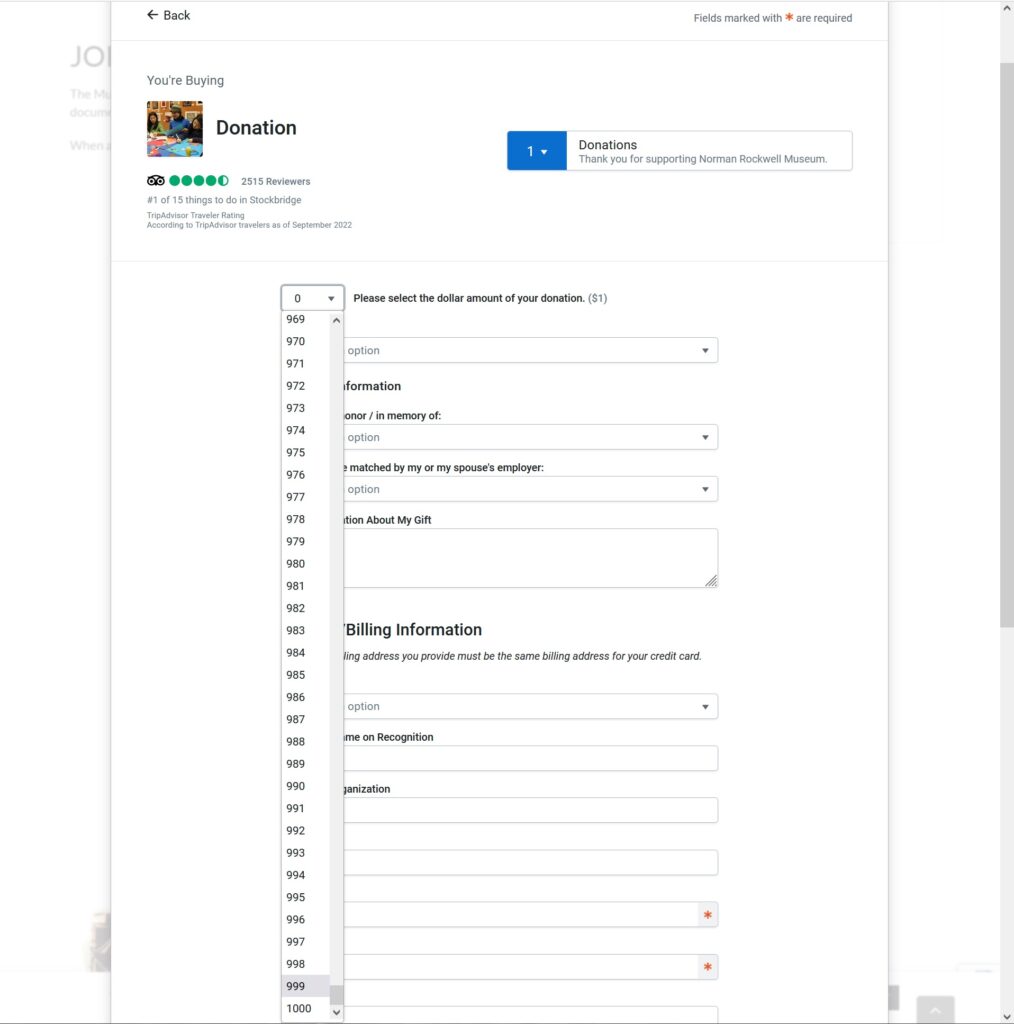
Once in the donations page, I am able to input my desired amount of donation. However, instead of simply being able to type my desired amount, I have to select a number under 1001 from a drop-down menu. So if the patron wants to donate $1000, they would have to scroll down for a very long time. This is a violation of heuristic #7, as it costs the user more time to donate. While this is not an egregious violation, it stands to reason that this also a violation of heuristic #3. Being restricted to this drop-down function limits the user’s freedom by making them use their mouse instead of their keyboard, thus potentially denying the user their preferred peripheral.

This drop-down menu makes the user select an amount instead of typing it in.

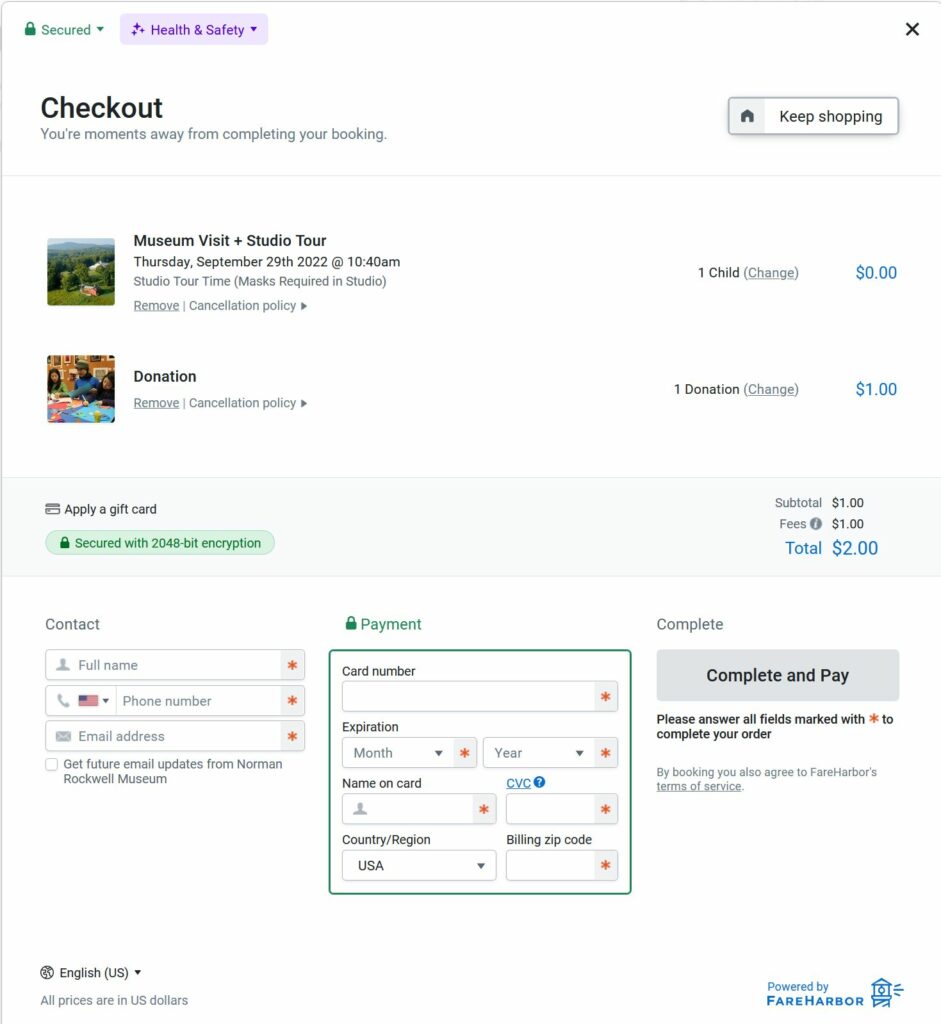
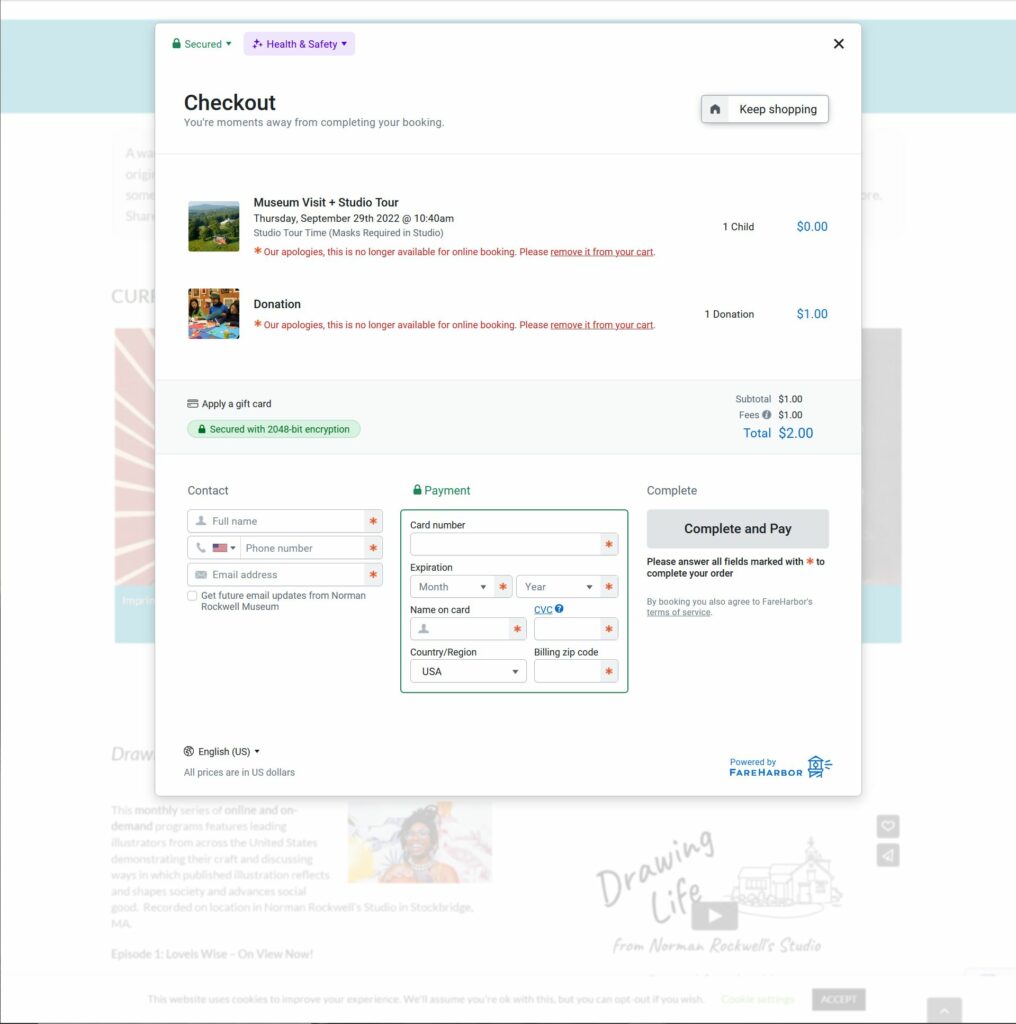
After participating in this less than efficient process, the user will eventually have a donation sitting in their cart. However, if the user decides to make another donation or purchase, they can click a “Keep Shopping” button to add more items to their cart.

The “Keep shopping” button is at the top-right of the window.

Unfortunately, this button takes them back to the beginning of the purchase process for their donation. It does not present any different items that can be added to the user’s cart. This is a violation of heuristic #5 as it creates an error prone condition that can result in the user hitting refresh or hitting the back button, which can bring the user back to the check out window.

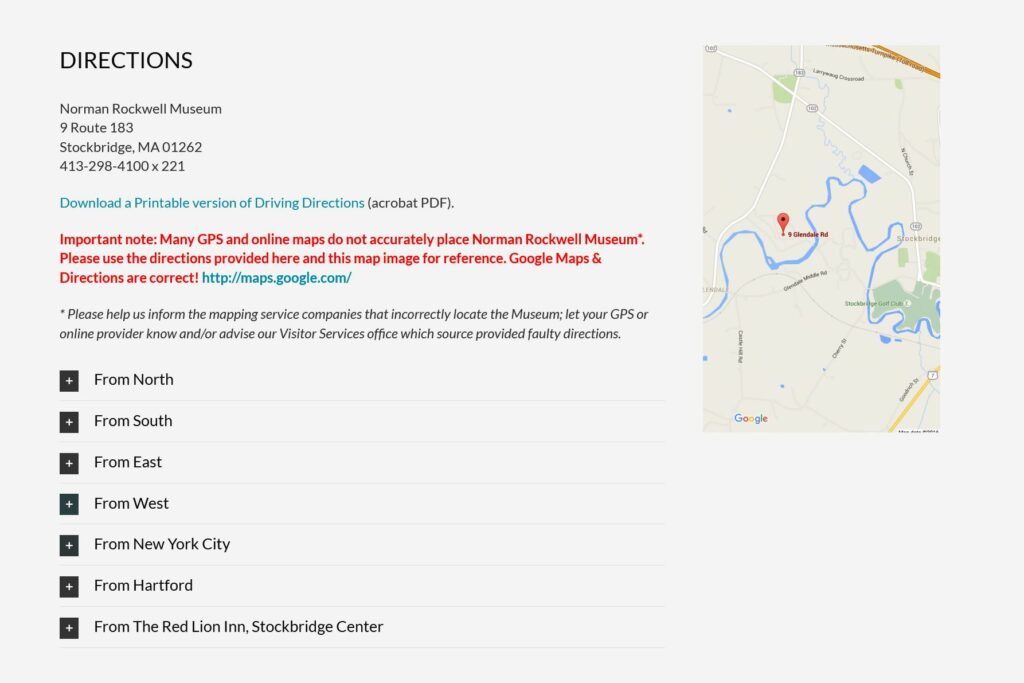
The second way to patronize the NRM is to simply indulge in their services. The profits gained should not only maintain the NRM, but grow it as well. The best way to do this is to purchase a ticket for a tour and physically visit the NRM. This means that the patron will need information regarding directions and business hours. In violation of heuristic #10, NRM provides users with a crude .pdf containing rudimentary text-based instructions on how to get to the museum. The document also supplied a low-resolution and simplified map. For further context, these instructions exist because “many GPS and online maps do not accurately place Norman Rockwell Museum” as noted in the arbitrarily placed “Directions” section of the Visit tab.

The directions on nrm.org.

They go on to encourage patrons to “inform the mapping service companies that incorrectly locate the Museum; let your GPS or online provider know and/or advise our Visitor Services office which source provided faulty directions.” This puts an undue burden on the user and does not provide a suitable solution, resulting in a light violation of heuristic #9.

Design Solutions

The most effective thing that nrm.org can do is triage their information and data, while slimming down to one main menu. This is information deemed tertiary, duplicated across multiple webpages or possibly information that might exhibit diminishing returns like over-advertising. This includes, but is not limited to, redundant information on the same Rockwell collections found across several webpages like “current exhibitions”, collections, events, newsletter sign-up prompts, and menu items that can be consolidated into one. Menu items recommended for consolidation include “About” and “Visit”, “Learn” and “Research”, and “Events” and “Calendar”.

Second, nrm.org should institute a proprietary purchasing feature instead of relying on Trip Advisor’s third-party widget. This would allow them more control, while also maintaining a consistent aesthetic instead of incorporating Trip Advisor’s branding.

Trip Advisor’s branding is inconsistent with the NRM’s.

Third, instead of text-based mediums, using video to explain travel directions would not only demonstrate a tech-savvy aptitude, but allow the user broader perspective and context. This is also keeping in line with heuristic #2 as most people rely on GPS with its emphasis on audiovisual communication.

Last, while the following aren’t hindering patronization, they are worth mentioning in order to improve the overall quality of nrm.org:

  1. The “Shop” hyperlink in the body of several web pages is unresponsive. This is violating heuristic #1. It is recommended that this be remedied in the back-end.
  2. When clicking “Shop” in the main menu, it takes the user to a different URL and opens up a new tab. However, when clicking “Annual Report” it does take the user to a new URL, but it does not open a new tab. It is recommended that this is fixed in the backend.
  3. Before purchasing a ticket, the Trip Advisor widget makes you agree to the policy before it shows the policy to you. It’s recommended that this is fixed in the backend.
  4. The NRM has a lot of video content. However, it is buried at the bottom of several web pages. It is recommended that there be a main tab for it in the homepage menu. This content can also replace some of the text-based content of the same subject matter.
  5. There are some instances where nrm.org uses an embedded YouTube player, but some where it uses another third-party player with limited user controls.
  6. The ad for the NRM newsletter should be at the top, not the middle of webpages. 
  7. There is no separation of sections on all the pages. Each webpage has sections of information haphazardly stacked on top of one another. At the least, these should be separated with different colored backgrounds.
  8. The events on the “Events” page should be reoriented. Instead of a top-down order, scrolling left to right should be considered.
  9. If a patron wants to donate to the virtual museum only, the option to do so is buried all the way at the bottom of the home page. There is no option to do so in the “Support” page. It is recommended that the option be included in the Support page.
  10. It is inconsistent that one can buy tickets on nrm.org, but is taken to a different URL, store.nrm.org, if one wants to make a purchase from the online gift shop. The page nrm.org/shop should be created.
  11. The “Visit” page says that Rockwell’s studio opens at 10:40am. Everywhere else on nrm.org it says it opens at 11am. One time should be displayed.
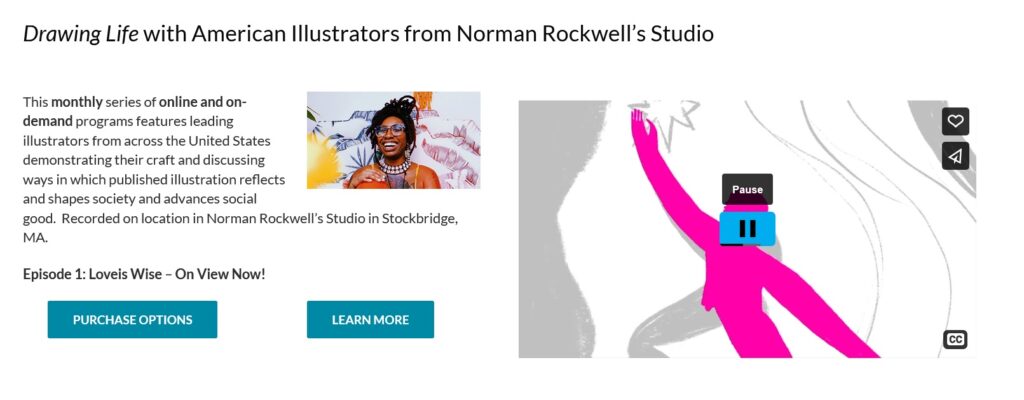
This video player only has pause and play controls.