Notes:
- Photo editor used: Canva
- Typeface: Playwrite US Trad (for Article), Dekko (for Number), Bubblebody Neue (for Description)
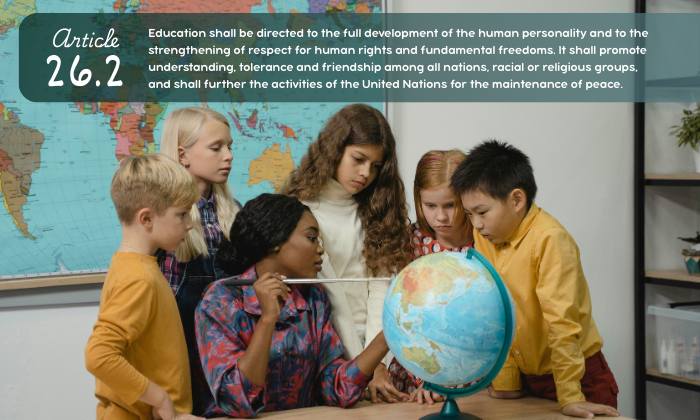
- Derivative of Teacher teaching students about Geography using a Globe by Tima Miroshnichenko and is licensed under Pexels Free to Use – Some Rights Reserved License.

Hi Kayla! I like your choice of photo it foes very well with your choice of article. I noticed not only did you do the assigned two fonts but you added an additional font making the word article in cursive, and then the number and article description in different fonts as well. These three fonts blend well together, their differences meshing well and making it more visually stimulating. Your placement of the words was also well done, almost reminding me of a lecture slide I would see in high school on a projector, connecting to the theme of education.
Hello Kayla, the typefaces you chose and your image complement the article very well. The diverse group of students studying the globe gives off the impression of understanding and friendship despite our differences, which is exactly the message you’re trying to convey. You did include three fonts instead of two, which can sometimes appear too busy, but I think you blended them together quite well. They give off a fun playful vibe, yet still professional, pairing well with the elementary school image.
Kayla, I love your font choices. The rounded cursive and script, mixed with the classroom imagery, give the feel of the old cursive letter borders I grew up with. That rounded feel really ties the two fonts together, while enhancing the overall image. The placement of the article really draws the eye down to the teacher and students, reinforcing the message. Like Amal, I like that you chose a diverse image, and that, mixed with the presumed geography lesson, pulls in the idea from the article of a world united in peace. My only suggestion is that the article text is a bit small, and perhaps a subtle effect, like a very thin outline, would make it pop just a bit more (this is something I do in Canva all the time).